
Car Alarm Dance Meme Origins and How to Make It
See how a parking-lot dance turned into a cat and dog meme, then make your own from one pet photo and time the moves to an alarm sound.
Can I make the Car Alarm Dance with my own pet?
Yes. Start with a photo of one cat or dog that shows its face, body and all four paws. In the Car Alarm Dance editor, pick a scene, add your photo and keep the starter prompt for your first attempt. Pavo generates a new video from the image and your directions. To make a paw raise or a footstep land on a particular beep, time the sound against your finished clip in an editor.
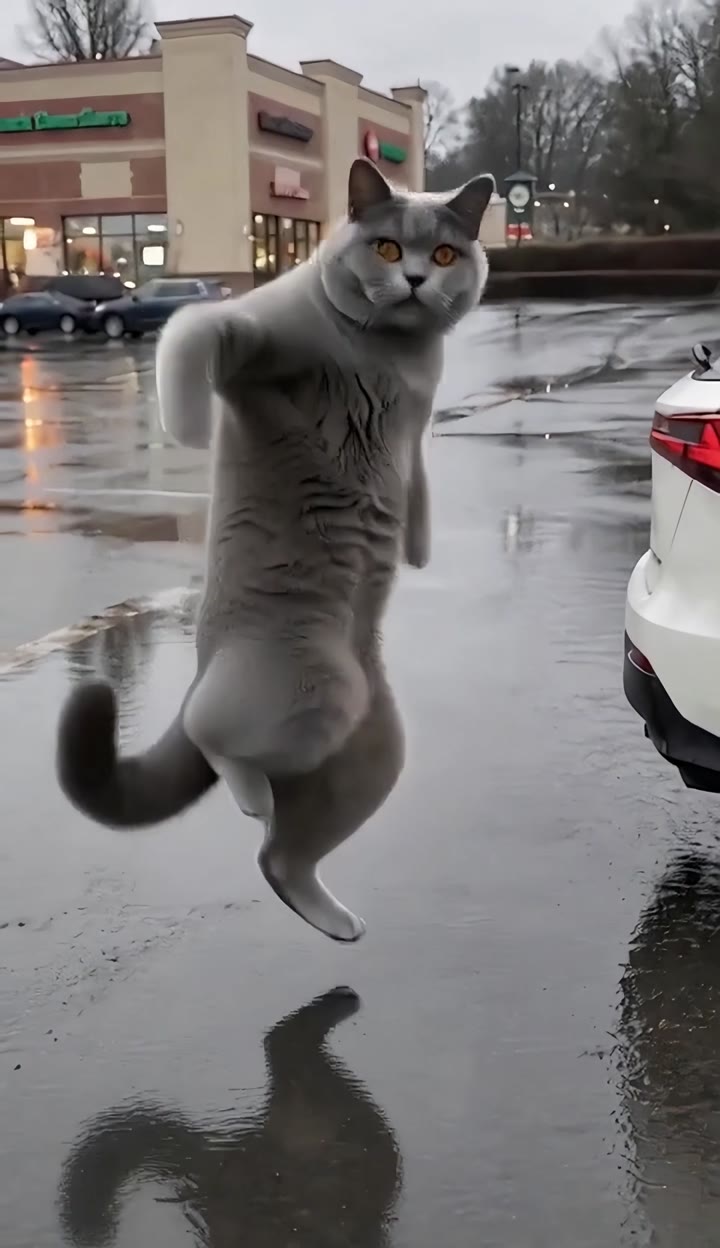
The quickest way to pick a scene is to watch the feet. The rainy parking lot leaves room for a wider step and a low finish. The red-car reference puts the animal closer to a wheel, where a little shuffle is easier to read than a big leap.
What is the Car Alarm Dance meme?
Someone hears a parked car's alarm and treats the sound as an invitation to dance. The setting makes the first half of the joke. You see a car in a place where nothing especially interesting should happen. Then the dancer takes the beeps seriously enough to give each sound a move. A chirp can cue a paw raise. A stretch of quicker pulses can carry two steps. The joke ends when the dancer gives that ordinary alarm a flourish worthy of a stage.
In pet edits, the setup gets even shorter. A cat beside a wheel looks like a cat minding its own business. When it straightens up and starts to move on the beat, the viewer has two things to notice at once. The animal is doing something unexpected, and it appears to know exactly when to do it. Keep the first moment quiet enough to make that change visible.
Where did the Car Alarm Dance come from?
An early widely shared human version came from Nick Kosir in January 2024. He dances in a suit beside a white SUV on wet pavement. The outfit and the unremarkable parking lot help sell the gag before the first big move. The caption credits @MEDKOVA as inspiration, so Kosir's post is a useful landmark in the trend's history and the idea reaches back beyond that upload. Watch Nick Kosir's January 2024 post.
By April 2026, the same premise appeared with AI pets. An April 28 post shows a small dog dancing beside a blue car, a useful example of how early the animal variation was already circulating. A June 9 post by @aron.der.tuffe uses a tabby near a red car at night. The animal, the color of the car and the lighting change, while the alarm still gives the dancer its cue. April dog clip · June red-car cat clip.
On October 9, @ccrcshop posted a German shepherd dancing in a wet lot by a white SUV. That version brings the dog back to a setting close to the 2024 human clip. The red-car cat and the wet-lot dog show two branches of the same joke, which helps explain why a search for the original can bring up different clips. Start with the date and creator of the version you want to reference. October white-SUV dog clip.
Why did people keep remaking it?
The premise takes one shot to explain. A vehicle and a repeating noise establish the situation. The next change in posture delivers the surprise. There is no backstory to fit into a caption, and you can recognize the joke even when you see a different animal or parking spot. A clean version gives viewers time to notice who is in the frame before the first step.
The rhythm also invites a second watch. Once you see a paw go up on a chirp, the next sound gives you something to look for. Small movements can work because the timing carries some of the joke. One well-placed side step often reads better on a phone than several fast turns in a cropped frame.
Changing the dancer gives the format a reason to circulate among people who know the pet. A serious-looking dog can play the straight-faced dancer, while a watchful cat can hold a beat before it moves. If you are making your own take, choose a move that fits the animal's silhouette and lets its expression stay recognizable.
Which Car Alarm Dance version should you choose?
Watch both Car Alarm Dance previews with the sound off first. In the rainy-lot example, the white SUV sits at the edge of a wider shot. The wet ground leaves a reflection beneath the cat and gives you a clear view of its feet. Use that composition if the joke depends on seeing the full rise, a sideways step and a drop back down.
The red-car reference puts the cat beside a wheel in warmer light. That tighter composition can work when you want one paw gesture and a short shift of weight. Keep an eye on the gap between the paws and the tire. A pet with dark fur needs enough light and separation for those details to survive the tighter crop.
The rainy-lot example is 11 seconds and the red-car reference is about 11.5 seconds. Those measurements describe the preview files. Pavo displays the current output duration and quote in the workbench before generation. The dated social posts above trace the trend, while the editor previews help you plan your own shot.
How to recreate the Car Alarm Dance in Pavo
- Choose the action you want to see. Start with the rainy lot for a wider move or the red car for a compact step. The example fills the editor with a prompt for that scene. Read through it before changing the car, camera or ending.
- Upload one clear photo. Use a JPEG, PNG or WebP up to 10 MB. A standing pet works well when you can see where each leg meets the floor. For a seated pet, look for front paws that are separate and a readable outline of the back legs. Give the image a little room at each side.
- Check the upload at phone size. A leash can hide the chest, a toy can cover a paw and a dark rug can swallow the outline of a dark coat. Try another photo if you have to zoom in to tell which foot is which. The dog dance photo guide has more examples of useful angles.
- Review the quote and generate. Check the visible settings and quote for this attempt. Open the completed result from the workbench. Save the first usable take so you have something to compare with a revision.
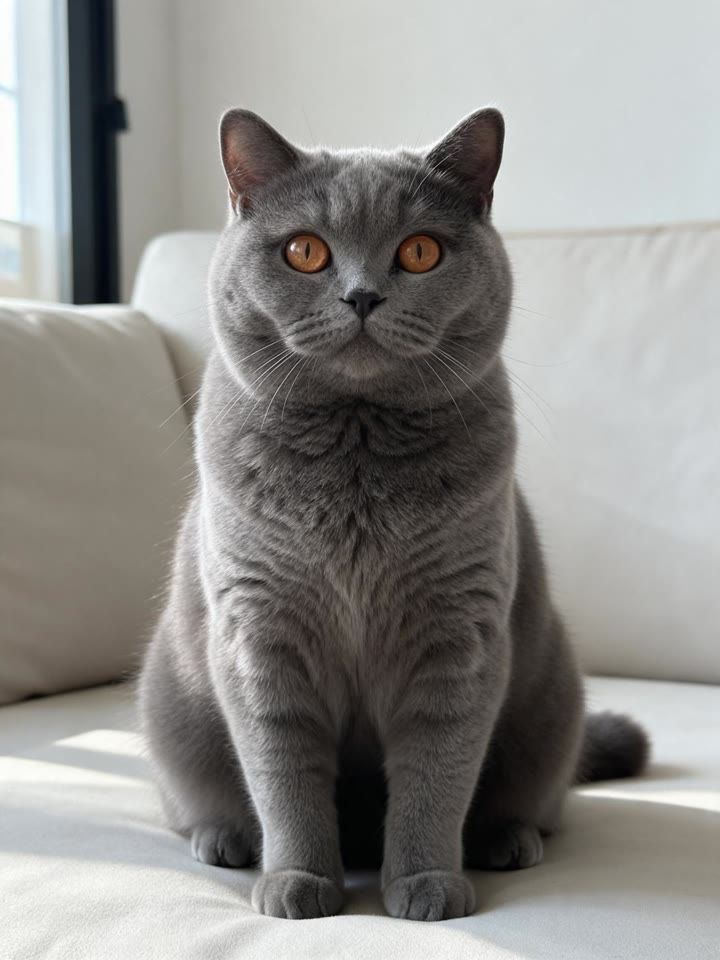
A frame from your own video can also work. Pause where the animal faces the camera and the paws are visible, then use the workbench's frame option to make a still photo. A frame just before the animal turns often gives you a clearer face and outline than a frame in the middle of a leap. The prompt supplies the movement for the new video.
Two prompts to start with
Write in shot order. Give the model a subject, a place, one movement sequence and an ending. Keep the car still and put most of the direction into what the pet does. To make a second take, change one line so you can tell which adjustment helped.
Wide shot by a white SUV
Use the pet in the uploaded photo as the only dancer. In a rainy parking lot beside a parked white SUV, show the pet from head to paws. It rises onto its hind legs, lifts its front paws, takes two quick side steps, then crouches and pauses. Keep the face and coat markings consistent and hold a steady, wide camera angle.
Smaller steps by a red car
Use the pet in the uploaded photo as the only dancer. Frame its whole body beside a parked red car. The pet lifts its front paws, shifts its weight from side to side for two small steps, and lowers its paws. Keep the same face and coat markings through the final pose. Hold the camera still with space under the paws.
If you want to change the scene, keep the move the same. For example, keep the red-car step and ask for a wider frame with the wheel still visible. If you change the framing, coat color, camera movement and steps in the same take, you will have a harder time seeing which choice affected the result.
How to sync the dance to a car alarm sound
Look for three visual cues in your result before choosing where to put the audio. The first clear paw raise can meet the first chirp. The quickest side step can land on a cluster of short beeps. A lower final pose can hold through a longer tone. Move the sound against those cues in a video editor and play the cut at normal speed. The movement should feel connected to the sound when you watch the whole shot.
The sample sound plays with its preview. Pavo generates your take from the photo and prompt, so the exact timings vary. Use an alarm sound you can use in your edit and put it against the take you actually generated. If one cue lands cleanly and the second feels late, try trimming the pause between the moves before making another video. Leave a short beat before the first lift so the audience can see the pet beside the car.
What to check before you share it
Pause once before the move and check the face, ears and coat. If the pet already looks unfamiliar there, choose a brighter photo with a clearer face for the next attempt. Save the same prompt and settings while you compare the new input.
Pause on the side step and scrub a few frames. Watch the paws before you judge the reflection or the movement of the camera. If two paws merge, try one smaller step or a wider, fixed shot. A simple ending with both front paws visible gives you a usable frame for the final cut and the cover.
Watch the share copy on a phone with the sound on. Pick a cover that shows the animal and enough of the car to explain the setup. Put captions above the footwork and leave the lower edge clear for the app's interface. Keep a clean export separately so you can try a different sound or crop later.
Car Alarm Dance questions
Can the car or the weather be different?
Yes. A parked car, a readable dancer and a well-timed move do most of the work. The white SUV and wet lot make the 2024-style setup recognizable. The red car and night lighting make the pet version feel closer to a street performance. Change the scene if it helps the pet stand out, and keep one familiar cue so viewers still understand the premise.
Why does my pet look different halfway through?
Turns, occlusion and fast steps give the model fewer clear views of the face and limbs. If the opening looks right, keep that photo and simplify the first move that goes wrong. If the face drifts during a spin, try a small turn with the pet still facing the camera as it stops.
Can I use a photo with two pets?
This workbench uses one photo for one main dancer. Crop to a clear single pet if you can keep the face and paws in view. To make a two-pet edit, generate a separate take for each pet and cut from the first dancer's finish to the second dancer's first paw raise.
When you have a full-body photo, return to the Car Alarm Dance workbench to upload it and choose the rainy lot or the smaller red-car step.