
AI Cat Gym: Original Reel and One-Photo Guide
Find Pokey’s cat gym Reel and plan a one-photo remake. Learn how to frame the air walker, write the wobble and check the cat’s paws and landing.
What is the AI Cat Gym meme?
AI Cat Gym puts a cat on the swinging pedals of an outdoor exercise machine. The cat starts out looking comfortable, loses its footing and gives the scene a comic ending. Try the idea with a full-body pet photo in the AI Cat Gym workbench. For a first attempt, make the setup readable. The viewer needs to see what the cat is holding and where its feet go before the wobble can make sense.
Which original Reel should you look for?
Pokey the Cat’s Instagram Reel is an identifiable example of the park version. Instagram shows November 6, 2026 and the handle @pokeys__world. The caption describes things getting a little too slippery. On November 14, the public page metadata showed roughly 834,000 likes. That figure belongs to this Reel at the time of the check. Search results for cat gym include other clips with different characters, exercise machines and endings.
MakeViral’s template lists November 13, 2026 as its article publication date. It describes an outdoor air walker, an uncontrolled swing and a slip. This is a useful example of a tool built around the scene several days after the creator post. An earlier upload or a different version may exist. The date on a template only tells you when that template page says it was published.
Why does the air walker make the gag work?
An air walker has a fixed frame and two pedals that swing from hinges. In the setup, you can see the cat grip the bar and stand over the pedals. The first easy swing teaches the viewer how the machine moves. The faster or uneven swing then gives the viewer a concrete reason to expect something to happen. A small delay before the reaction lets the scene read even with the sound off.
The contrast comes from a familiar public-park scene played by an animal that seems to take the workout seriously. If you change the park, the coat pattern or the color of the frame, the movement can still carry the joke. A busy camera makes that harder. With a fixed shot, you can follow one paw from the first swing through the change in pace and see where the cat ends up.
Which version fits your photo?
For the slip ending, choose a full-body image that shows the back paws and enough of the cat’s profile to recognize it after it turns. In the prompt, ask for one paw to leave its pedal and for the cat to land beside the frame. A short move away from the machine is easier to inspect than a tumble across the shot. Make the last moment a clear look toward the camera so the face gets a beat of its own.
For a recovery ending, let the cat hold the bar, stop the pedals and look around as if it meant to stop there. This keeps the reaction and the park equipment in view throughout. It also removes the landing from the prompt, which is useful if a first attempt is hard to read. If the only available photo is a face close-up, start with a different effect or choose a clearer picture before trying the air walker. The same framing decision comes up in the Misanthropy guide, where a close-up makes sense because the eyes carry the whole reaction.
A cat lifting a barbell in an indoor gym is another prompt entirely. Its main shapes are the bar, weights and the cat’s front paws. The outdoor version needs the support bar, two pedals and room below the cat. Decide which setup you want before writing the prompt. Describing both machines in one take gives the model too many objects to keep aligned.
How do you pick a useful starting image?
Start with one animal and a clean view of its silhouette. A full-body picture taken from a slight angle can show both the face and the back paws. Leave some margin below the paws and around the tail. Look for two or three visible features you can recognize later, such as a white bib, a dark stripe above the eyes or a ringed tail. Even light makes these details easier to compare between the starting photo and the last frame.
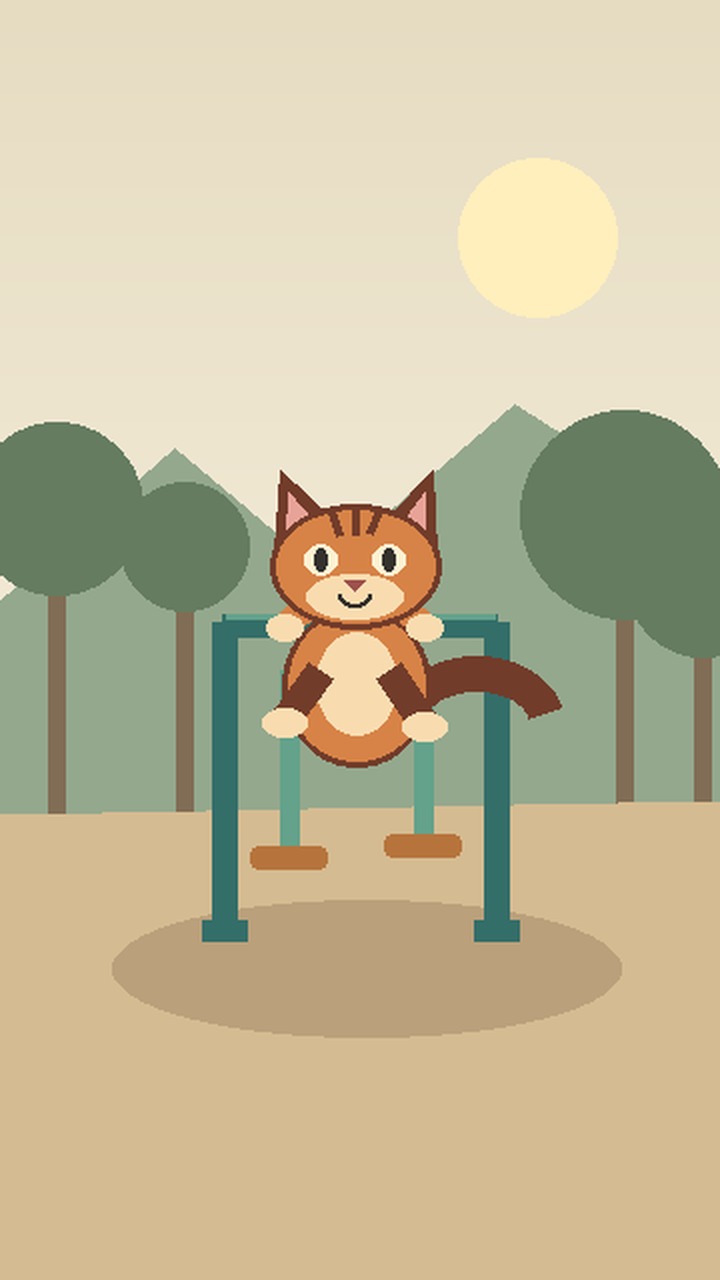
Avoid crops where furniture, hands or tall grass hide the legs. They leave the model more of the stance to invent. A busy group photo makes it harder to specify which pet is on the machine. If you are using an illustration, choose an image with clean outlines and enough space around the body. The sample image on the tool page uses a simple orange tabby so you can see how the markings separate from the park colors.
You can also prepare your own scene image with the pet already lined up with the equipment. Check the two pedal positions before animating it. An image showing an awkward grip or three pedals gives the model a difficult starting point. For a one-photo request, decide whether the starting image should emphasize the cat’s identity or the opening composition. A portrait provides the clearest view of markings, while a prepared scene shows where every part should go.
How do you prompt the swing and the ending?
Start with the camera and setting. Specify a fixed, medium-wide vertical shot in a quiet park. Name the air walker and describe its parts. The front paws hold the fixed bar, and each rear paw starts on a separate pedal. Give the cat an easy first swing, then add one uneven swing. Put the reaction at the end so the viewer has time to see the change in balance.
Slip ending prompt
One fixed, full-body shot in a park. Keep the coat and face of the uploaded cat. The cat grips a fixed bar on an outdoor air walker, with one back paw on each swinging pedal. One slow swing, then a wobble. One paw slips and the cat lands softly beside the frame. End on a surprised look. Keep both pedals and the cat visible.
Recovery ending prompt
Show the uploaded cat on an outdoor air walker in a fixed vertical shot. Keep both paws on separate pedals and the front paws on the bar. After one gentle swing, the pedals wobble briefly and come to rest. Hold on the cat looking at the camera. Keep the frame and lighting steady.
Treat a prompt as an order of visible actions. If you ask for a quick cut, an extreme close-up and a landing in the same sentence, it can be hard to tell which part failed. Try one change on a second attempt. Slowing the swing or switching to the recovery can make the feet much easier to see. Keep a copy of the first wording and settings so you can compare what actually changed.
What does Pavo send when you generate?
The workbench uses one uploaded image and the editable text prompt for this template. The six-second silent animation on the page is a hand-made motion reference. It shows the intended pacing and a possible reaction. Choosing it fills the workbench with an example direction and prompt. The preview video itself supplies neither movement nor sound to the generation request.
Check the selected model, resolution, aspect ratio and price in the workbench before submitting. The reference animation’s six-second runtime is separate from the duration shown in the live quote. Choose the available vertical option if you want the whole machine to fit naturally in a short-video feed. When you review the finished export, confirm that its crop actually leaves space around the pedals. A vertical setting alone cannot guarantee where the model places the subject.
Which frames should you check before sharing?
First, pause just before the first swing. Look for one continuous bar, two pedals and clear contact between the paws and the machine. Second, stop during the wobble. Make sure the frame stays anchored and only the hinged parts swing. Check that the cat has the same paws and coat pattern on both sides of the motion. A pedal changing shape in the middle of the shot can make a deliberate slip look like a rendering error.
Third, stop at the landing or recovery. There should be a clear point where the cat gets its footing, and the reaction should still be visible. For the slip, check that the cat is beside the machine and appears unhurt. For the recovery, check that the pedals have actually come to rest before the final look. Play the whole clip at phone size without sound. If you cannot tell where to look, try a steadier camera or cut a quiet lead-in after you export.
How do you tell a deliberate slip from a broken shot?
Compare the frame immediately before the slip with the next clear frame. In a deliberate slip, you can track the same paw as it leaves the pedal and follow the cat to a nearby landing point. The pedal stays on its hinge and the support bar remains in roughly the same position on screen. If the machine tilts with the cat or its legs vanish halfway through the swing, the viewer has lost the physical setup. Try replacing the sudden move with a small shift of weight before requesting another fall.
A short phone playback can help you spot a different problem. Watch once without stopping and note the first moment you understand why the cat moved. If you only understand it after pausing, make the calm part clearer. Show the whole stance a beat earlier, keep the background simple and leave the pedals uncovered. Once the movement reads on its own, check whether the last expression gets enough time. A look that arrives just before the cut may work frame by frame while still disappearing at normal playback speed.
Can you use the original sound?
The page preview is silent and the workbench request uses your photo and text. If you add sound afterward, use an audio track you have permission to share. Try putting a short sound at the first clear moment the paw leaves the pedal. With a recovery ending, a small pause can carry the reaction on its own. Check the result again with the sound off so the action stays understandable in a muted feed.
The joke can work with a short caption, but keep it out of the lower part of the picture where the feet and pedals need to stay visible. A caption that reveals the fall before it happens can flatten the reaction. Give the easy swing room first, then decide whether the last look needs any text. If you put text in the edit, check it against the platform’s buttons and crop before posting.
Ready to make your own cat gym clip?
Choose one full-body image, decide on a slip or a recovery, and open the AI Cat Gym photo upload. Use the reference to plan the beats, check the quote and review the paws, pedals and last look in your own export.